

The A100 is still the data-center GPU you are most likely to find for rent. The newest open models are built and tested on Hopper and Blackwell. So we asked the obvious question: do they run on eight A100s, and how fast?
We rented an 8× A100 80GB machine on Paralon and tried two of the largest open-weight models of the season, GLM-5.3 Flash (Z.ai, 321B parameters, 18B active) and DeepSeek-V4.1-Flash-1017 (DeepSeek, 748B as llama.cpp counts them), each on vLLM and on llama.cpp.
Short version: both run, with llama.cpp, at up to 95 tokens per second in total for eight users and 37 for one, faster than anyone reads. vLLM stops on both, for reasons that come from the hardware, not from a setting, and we show where.
The setup
| GPUs | 8× NVIDIA A100-SXM4-80GB, compute capability 8.0, 640 GB of VRAM |
| Host | 240 threads, 1.7 TB of RAM, driver 580.105.08, Ubuntu 24.04 |
| vLLM | 0.33.0rc1 nightly (the official recipes ask for a nightly), FlashInfer 0.7.3, PyTorch 2.14 |
| llama.cpp | built from source for sm_80, CUDA 13.4 |
| GLM-5.3 Flash | zai-org/GLM-5.3-Flash (FP8) for vLLM, unsloth/GLM-5.3-Flash-GGUF Q8_0 (317.6 GiB) for llama.cpp |
| DeepSeek V4.1 Flash | deepseek-ai/DeepSeek-V4.1-Flash-1017 (510 GB) for vLLM, unsloth/DeepSeek-V4.1-Flash-1017-GGUF UD-Q4_K_XL (460.6 GiB) for llama.cpp |
With 640 GB of VRAM, GLM-5.3 Flash fits in 8-bit, twice the precision of the 4-bit run we did on 4× H100. DeepSeek's GGUF is about the size of its official checkpoint, which already stores its experts in 4 bits.
Getting the weights onto the machine
GLM's FP8 checkpoint came down first, on its own; the other three then downloaded in parallel from Hugging Face, 1.35 TB in about ten minutes:
| checkpoint | size | time |
|---|---|---|
| GLM-5.3 Flash FP8 | 306 GiB | 2 min 29 s on its own |
| GLM-5.3 Flash Q8_0 GGUF | 341 GB | 6 min 20 s |
| DeepSeek-V4.1-Flash-1017 | 510 GB | 9 min 3 s |
| DeepSeek-V4.1-Flash-1017 Q4 GGUF | 501 GB | 10 min 3 s |
Use HF_XET_HIGH_PERFORMANCE=1 with hf download. Installing vLLM nightly
with uv took 44 seconds; building llama.cpp for sm_80 took about nine and a
half minutes on 240 threads.
vLLM: why neither model runs on A100
GLM-5.3 Flash
VLLM_USE_RUST_FRONTEND=1 vllm serve zai-org/GLM-5.3-Flash \
  --tokenizer-mode glm5_next --tensor-parallel-size 8 \
  --disable-flashinfer-autotune --tool-call-parser glm47 \
  --enable-auto-tool-choice --reasoning-parser glm47
The engine stops while it picks an attention backend:
ValueError: No valid attention backend found for cuda with
AttentionSelectorConfig(head_size=512, ... use_mla=True, use_sparse=True ...)
GLM-5.3 Flash uses sparse MLA attention, and vLLM lists seven backends for it. Each one turns the A100 down, and the log says why, for example "FlashMLA Sparse is only supported on Hopper and Blackwell DC devices". The kernels exist only for compute capability 9.0 and up; the A100 is 8.0. The official recipe says the same thing in plainer words: Hopper and newer.
DeepSeek-V4.1-Flash-1017
VLLM_USE_V2_MODEL_RUNNER=1 VLLM_USE_RUST_FRONTEND=1 \
  vllm serve deepseek-ai/DeepSeek-V4.1-Flash-1017 --tensor-parallel-size 8
DeepSeek gets further. vLLM picks its Marlin kernels for the MXFP4 experts, which do run on Ampere, and loads the whole model: 320 seconds for the weights, 47.56 GiB on each GPU. Then the first forward pass stops in the Engram lookup, which is a Triton kernel over FP8 tables:
ValueError("type fp8e4nv not supported in this architecture.
The supported fp8 dtypes are ('fp8e4b15', 'fp8e5')")
fp8e4nv is the FP8 E4M3 format, which NVIDIA GPUs support from Ada and
Hopper on. The A100 has no FP8 at all. The official recipe covers Hopper,
Blackwell and AMD Instinct, not Ampere.
What this means if you plan capacity: for either model on vLLM, with its batching and its throughput at many users, plan on H100, H200 or Blackwell. On A100, the route is llama.cpp.
llama.cpp: both run
Build for the A100's architecture and point the tools at the first shard:
cmake -B build -DGGML_CUDA=ON -DCMAKE_CUDA_ARCHITECTURES=80
cmake --build build -j --target llama-server llama-bench

./build/bin/llama-bench -m <first shard>.gguf -ngl 99 -fa 1 -p 512,4096 -n 128 -r 3
./build/bin/llama-server -m <first shard>.gguf -ngl 99 -fa on -c 65536 \
  --parallel 8 --host 127.0.0.1 --port 8081 --jinja
| test | GLM-5.3 Flash Q8_0 | DeepSeek-V4.1-Flash-1017 Q4 |
|---|---|---|
| model on disk | 317.6 GiB | 460.6 GiB |
| prefill, 512 tokens | 719 ± 20 tok/s | 478 ± 9 tok/s |
| prefill, 4,096 tokens | 1,552 ± 3 tok/s | 715 ± 6 tok/s |
| generation, 128 tokens | 37.2 ± 1.1 tok/s | 36.8 ± 0.8 tok/s |
| server ready, model on disk | 87 s | 80 s |
The same 400-token request sent 1, 4 and 8 times at once through the OpenAI-compatible endpoint:
| concurrent | GLM-5.3 Flash, total | per request | DeepSeek V4.1 Flash, total | per request |
|---|---|---|---|---|
| 1 | 35 | 35 | 36 | 36 |
| 4 | 69 | 17 | 80 | 20 |
| 8 | 87 | 11 | 95 | 12 |
Both models generate at the same speed for one user, although DeepSeek has more than twice the parameters: both are mixtures of experts that use a small part of their weights per token, and DeepSeek's run here is in 4 bits against GLM's 8. With eight users DeepSeek pulls slightly ahead.
GLM-5.3 Flash with eight 8,192-token slots used about 320 GiB of the 640 GB, so there is room for longer contexts or more slots.
A100 against H100, same model
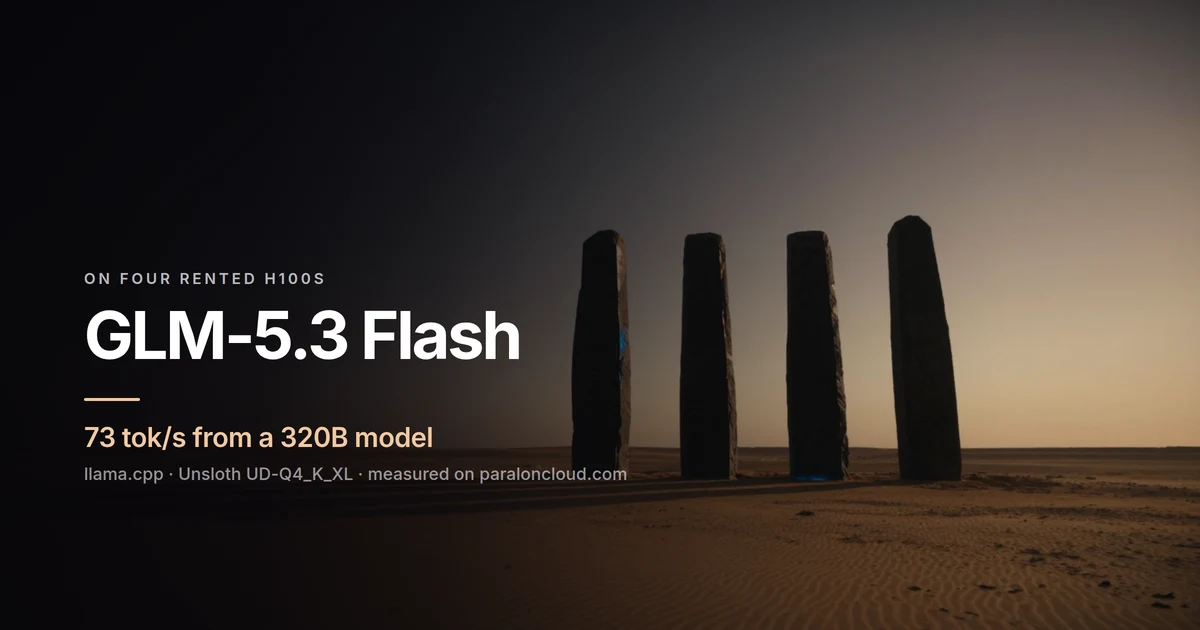
Our 4× H100 run put GLM-5.3 Flash in 4-bit at 73 tok/s. Here, in 8-bit on eight A100s, it runs at 37. Two things account for it: an A100 reads its memory at about 2 TB/s against 3.35 TB/s on an H100 SXM, and an 8-bit model is twice the bytes per token. In exchange you get the model closer to its original weights, and a machine that also holds DeepSeek's 748B.
What to take away
- On A100, use llama.cpp for GLM-5.3 Flash and DeepSeek V4.1 Flash. vLLM 0.33 has no sparse-attention or FP8 kernels for Ampere.
- 37 tok/s for one user on either model, faster than reading speed, and up to 95 tok/s in total for eight.
- 640 GB fits both models, one at a time: GLM in 8-bit, DeepSeek in its 4-bit GGUF.
- For many concurrent users, go to Hopper or Blackwell, where vLLM runs both.
The A100 and H100 machines we tested are on the rent page, billed by the minute, with JupyterLab or SSH when the machine starts.